Tree Packs: World Generation
The world_gen folder should contain two files.
default.json handles the generation of dynamic trees for each biome in the terrain, while feature_cancellers.json handles applying cancellers, which disable existing generation of non-dynamic features such as trees, mushrooms, nether fungi, or similar.
This file contains an array of elements, each handling a case of biomes where Dynamic Trees will be generated.
-
"select": The biomes selected to apply these cancellers to. Must be a valid biome selector -
"apply": An object, or an array of objects with the propertiesspecies,densityandchance.-
"species": A single species id or a species selector. -
"density": A number or a function to configure the radii of the trees that generate. A higher density means smaller trees more packed together, a lower density produces larger trees spaced apart more. -
"chance": A number between 0 and 1 that defines the chance for a tree to generate on each valid spot.
-
It is important to note that depending on how the species selector is set up, the generation could be either completely replaced OR the new trees can be added to the existing pool.
This file contains an array of elements, each handling a case where cancellers should be applied. Every element must have these properties:
-
"select": The biomes selected to apply these cancellers to. Must be a valid biome selector. -
"cancellers": An object, or an array of objects with the propertiestypeandnamespace.-
"type": The canceller itself, must be an option from an existing registered canceller. -
"namespace": The namespace of the feature, vanilla features useminecraft.
-
A biome selector is a boolean operand that determines which biomes the following generation/cancellation will be applied to.
The simplest selector uses the "name" element to just select a specific biome by name.
A basic understanding of binary logic is heavily recommended to use the biome selectors to their fullest potential.
The basic elements for a selector are the following, by default when applied together they will behave like with an AND operation:
-
"name": The identifying name of a biome -
"tag": A biome tag- Before 1.19.2 use
typeorcategoryinstead oftag.
- Before 1.19.2 use
The array elements allow for multiple values that apply together with as if an AND was used.
-
"names": An array of biome names -
"tags": An array of biome tags- Before 1.19.2 use
typesinstead oftags.
- Before 1.19.2 use
However these array elements apply together as if an OR was used.
-
"names_or": An array of biome names -
"tags_or": An array of biome tags
All of these names, types, categories and tags can be reversed by using "!" (as not).
For example:
-
"tag": "!#is_sandy"any biome that is not sandy -
"names": ["!minecraft:plains", "!minecraft:forest"]Every biome except forest and plains.
All of these properties can be included within OR, AND, and NOT array objects, to fully combine them in binary operation.
For example:
"select": {
  "AND": [
    {
      "OR": [
        {"type": "cold"},
        {"type": "snowy"},
        {"type": "coniferous"}
      ]
    },
    {
      "types": ["overworld", "!spooky", "!rare"]
    }
  ]
}
This selects biomes that are cold, snowy OR coniferous, AND that are of type overworld but NOT spooky AND NOT rare.
However the default behavior of "select" allows for using a list which behaves exactly like the AND operator.
That means that in this case using the AND operator is redundant and it can be simplified.
"select": [
  {
    "OR": [
      {"type": "cold"},
      {"type": "snowy"},
      {"type": "coniferous"}
    ]
  },
  {
    "types": ["overworld", "!spooky", "!rare"]
  }
] Biome names can use regular expressions.
For example:
-
"minecraft:.*"will select all minecraft biomes -
".*hills.*"will select any biome with "hills" in the name -
"!.*wooded.*"will select every biome except those with "wooded" in the name
This currently does not work with tags.
The species selector defines the species that will be selected to generate in a structure similar to that of a weighted list. There are two parameters used here. random and method.
To create or replace a pool of species
In this instance the "method" parameter is optional as this is the default behaviour.
-
"random": An object where each species has a number that represents its weight in the pool. -
"method": Can be set toreplaceor not included altogether.
For example:
"species": {
        "random": {
          "dynamictreesplus:pillar_cactus": 6,
          "dynamictreesplus:pipe_cactus": 1
        }
      }
Means that pillar cacti are 6 times more likely than pipe cacti to be selected.
The selector can also use "static" instead of "random" with a single species name, which behaves just like using the name directly.
"species": {
        "static": "oak"
      }
is equivalent to:
"species": "oak"To add to an existing pool of species
To add to an existing pool the "method" parameter must be splice_before. and a "..." element MUST be added to the random object.
-
"random": An object where each species has a number that represents its weight in the pool."..."is the weight of the rest of the existing pool. -
"method":splice_before.
For example:
"species" : {
        "method" : "splice_before",
        "random" : {
          "dtautumnity:maple" : 1,
          "..." : 10
        }
      }
This selector will add a 1/10 chance for the a tree to be maple to a selected existing pool of generation. The other 9/10 trees will be whatever was previously set up to generate.
To extend an incomplete pool of species
One can define an incomplete pool by using "..." in the base population of a biome. In that case, the population is considered incomplete and the remaining weight is passed through to no trees.
Then, a Tree Pack author can use splice_after to fill out or populate the remaining space with their own species.
-
"random": An object where each species has a number that represents its weight in the pool."..."is the weight of the rest of the existing pool. -
"method":splice_after.
For example, the base definition might populate only 50% of the biome leaving the rest free.
"species" : {
        "random" : {
          "oak" : 1,
          "..." : 1
        }
      }
Then one can use splice_after to fill out the remaining generation:
"species" : {
        "method" : "splice_after",
        "random" : {
          "birch" : 1,
          "spruce" : 1
        }
      }
This biome will then be populated, in this example by 50% oak, 25% birch and 25% spruce.
In practice you will really rarely have to use this or see it used as it requires collaboration between addons/treepacks to first define an incomplete generation expecting it to be filled by another, and then use splice_after expecting the base generation to leave an empty portion of the weights to you.
If splice_after is used on a biome that has already filled up 100% of it's weights then it will do nothing at all.
Density is a function that determines the size of the radii of the trees that generate. This is using during the Poisson Disc generation, which means that some variables are not available during this step.
Possible values:
- Float between 0 and 1
- Density Expression
The range of density goes from 0 to 1, and this maps inversely to the radius of the discs placed. For example, setting the density to 0 forces discs towards a radius 8 (maximum). Setting the density to 1 forces discs towards a radius of 2 (minimum).
However the final radius is not exact, there is a small amount of randomness applied to the discs to avoid grid-looking generation.
Examples:
"density" : 0.2Using an expression:
"density" : "noise() / 2"For more information on Density expressions visit the Expressions page.
Chance is a function used to decide when or not to place a tree. Once the Poisson discs have already been placed and determined, the generator determines whether to place a tree or not based on the chance selector.
Possible values:
- Float between 0 and 1
- Chance Expression
If chance is 1, it will definitely be placed. If chance is 0 it will not be placed. If chance is 0.5 there is a 50% chance for a tree to be placed.
Examples:
"chance" : 0.5Using an expression:
"chance" : "simplex() * 4 - 2"This simplex noise example produces a generation of dense blobs of trees and empty clearings.
For more information on Chance expressions visit the Expressions page.
Feature cancellers detect and cancel features that generate in some specific way. Some mods take their own approach to generation, and thus a custom canceller might be needed to successfully remove the features from the world.
However these should cover the cases where vanilla features are used, or ones that imitate them in implementation.
By default, the cancellers provided by Dynamic Trees are {tree, rooted_tree, mushroom, fungus}. More can be added by other addons.
Dynamic Trees Plus adds {dynamictreesplus:cactus} to cancel cacti.
When working on world generation, it might be useful to enable the debug feature to find what issues are preventing your trees from generating how you want.
To do this, find the serverconfig file located in saves/[your world]/serverconfig/dynamictrees-server.toml and set debug=true at the bottom of the file.
Now, when exploring the world you will find colored concrete blocks that show the Poisson Discs.

The color of the block in the center of the disc will show you WHY a tree failed to generate there.
-
BLUE: Failed Chance. The probability that a tree generates was defined as less than 1 and thus some trees do not generate.
-
BROWN: Failed Soil. The tree that attempted to generate there cannot be planted on the block that was in that spot.
-
YELLOW: Unhandled Biome. No worldgen file defines what to do with this biome, so no trees generate.
-
RED: Failed Generation. An error occurred during generation, usually caused by a missing jocode.
-
PURPLE: No Soil. This tree attempted to generate over the void.
-
BLACK: No Tree. The species selector fell back to no trees, caused by an incomplete distribution of weights (<100%).
 BLUE: Failed Chance. The probability that a tree generates was defined as less than 1 and thus some trees do not generate.
 BROWN: Failed Soil. The tree that attempted to generate there cannot be planted on the block that was in that spot.
 YELLOW: Unhandled Biome. No worldgen file defines what to do with this biome, so no trees generate.
 RED: Failed Generation. An error occurred during generation, usually caused by a missing jocode.
 PURPLE: No Soil. This tree attempted to generate over the void.
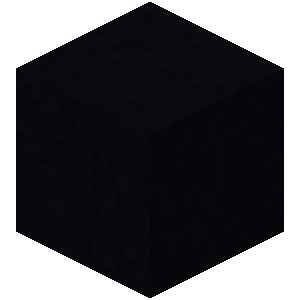 BLACK: No Tree. The species selector fell back to no trees, caused by an incomplete distribution of weights (<100%).
The following colors should never show up as they signify a successful generation. If you do see them, something broke.
-
WHITE: Generated. The tree generated successfully.
-
GRAY: Already Generated. A tree was already there. (Rooty cave trees generate first)
 WHITE: Generated. The tree generated successfully.
 GRAY: Already Generated. A tree was already there. (Rooty cave trees generate first)