

🖊️ 为 React 应用打造的 PDF 查看与批注 SDK
用于快速构建文档审阅、协作批注与评论系统


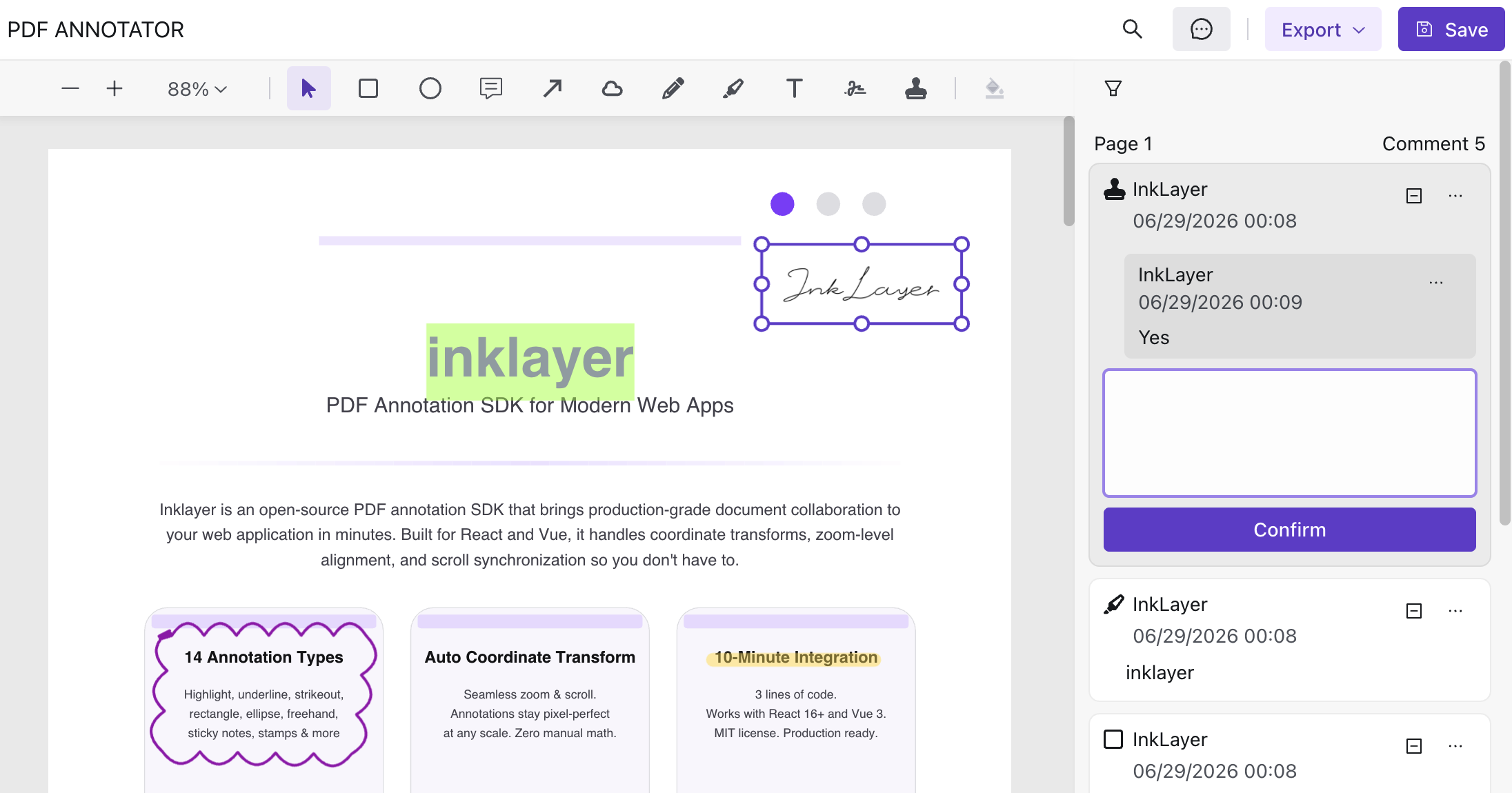
最快体验 InkLayer React 的方式:直接使用 官方 Starter 🚀
git clone https://github.com/Laomai-codefee/inklayer-react-starter.git
cd inklayer-react-starter
npm install
npm run dev
打开:
💡 Starter 已内置完整 PDF 批注能力示例,无需额外配置即可体验 SDK 全功能。
- 🚀 PDF 查看器(缩放 / 搜索 / 主题)
- 🖍️ PDF 批注系统(高亮 / 笔迹 / 图形 / 印章 / 签名)
- 💬 评论与审阅流程
- 🔐 协作批注权限(拥有者规则 / 管理员覆盖 / 整体只读)
- 💾 批注数据模型(可持久化)
- 📤 导出能力(PDF / Excel)
- 🎨 可自定义 UI(工具栏 / 侧边栏)
npm install inklayer-reactimport { PdfAnnotator } from 'inklayer-react'
import 'inklayer-react/style'
export default function App() {
return (
<PdfAnnotator
title="PDF Annotator"
url="https://example.com/sample.pdf"
user={{ id: 'u1', name: 'Alice' }}
onSave={(annotations) => {
console.log('Saved annotations:', annotations)
}}
/>
)
}import { PdfViewer } from 'inklayer-react'
import 'inklayer-react/style'
export default function App() {
return (
<PdfViewer
title="PDF Viewer"
url="https://example.com/sample.pdf"
layoutStyle={{ width: '100vw', height: '100vh' }}
/>
)
}👉 https://inklayer.dev/zh-cn/docs/react
user 是调用方传入的当前业务用户。InkLayer 只使用该身份判断批注与回复的归属,不负责用户登录或身份认证,也不要求额外传入 role。启用 owner-only 后,具有有效 user.id 的当前用户可以新建批注和回复,但只有批注拥有者可移动、缩放、编辑、修改状态或删除该批注;回复也只能由其作者编辑或删除。
<PdfAnnotator
  user={{ id: currentUser.id, name: currentUser.name }}
  annotationPermissions={{
    mode: 'owner-only',
    // isAdmin 由你的业务系统实现
    can: ({ currentUser }) =>
      isAdmin(currentUser?.id) ? true : undefined
  }}
/>
can(request) 是可选的同步覆盖函数。返回 true 强制允许,false 强制拒绝,undefined 保留 mode 的默认结果。request 包含 action、currentUser、annotation、comment 和 defaultAllowed,因此可以接入应用自己的管理员、审批状态或文档级规则。
如果需要整个批注器只读,传入 annotationPermissions={{ can: () => false }}。用户仍可选中和查看批注,但所有写操作都会被禁止。
这是浏览器交互权限,用于控制 InkLayer UI 和本地写入。后端 API 仍必须独立验证读写权限,不能把客户端结果当作安全边界。
- InkLayer Vue:https://github.com/Laomai-codefee/inklayer-vue
- Vue Starter:https://github.com/Laomai-codefee/inklayer-vue-starter
- React Starter:https://github.com/Laomai-codefee/inklayer-react-starter
有问题?想提建议?欢迎来 GitHub Discussions 聊聊,或者直接发邮件:codefee@foxmail.com
Bug 报告请走 GitHub Issues
InkLayer React 仅支持浏览器环境,不支持服务端渲染(SSR)。组件依赖 DOM、Canvas 和 Web Worker,请只在客户端代码中导入和渲染。
- 支持 React 18 和 React 19
- 支持 Vite 和 Webpack 5
- 同时提供 ESM 和 CommonJS 入口,推荐优先使用 ESM
- 在 Next.js、Remix 等同构框架中使用时,需要将组件放在客户端边界内,并关闭该组件的 SSR
MIT © InkLayer